

How to publish an app on the App Store and Google Play: requirements and steps
You need a developer account for each store, privacy details, testing with real users and an approved review. Here are the steps.

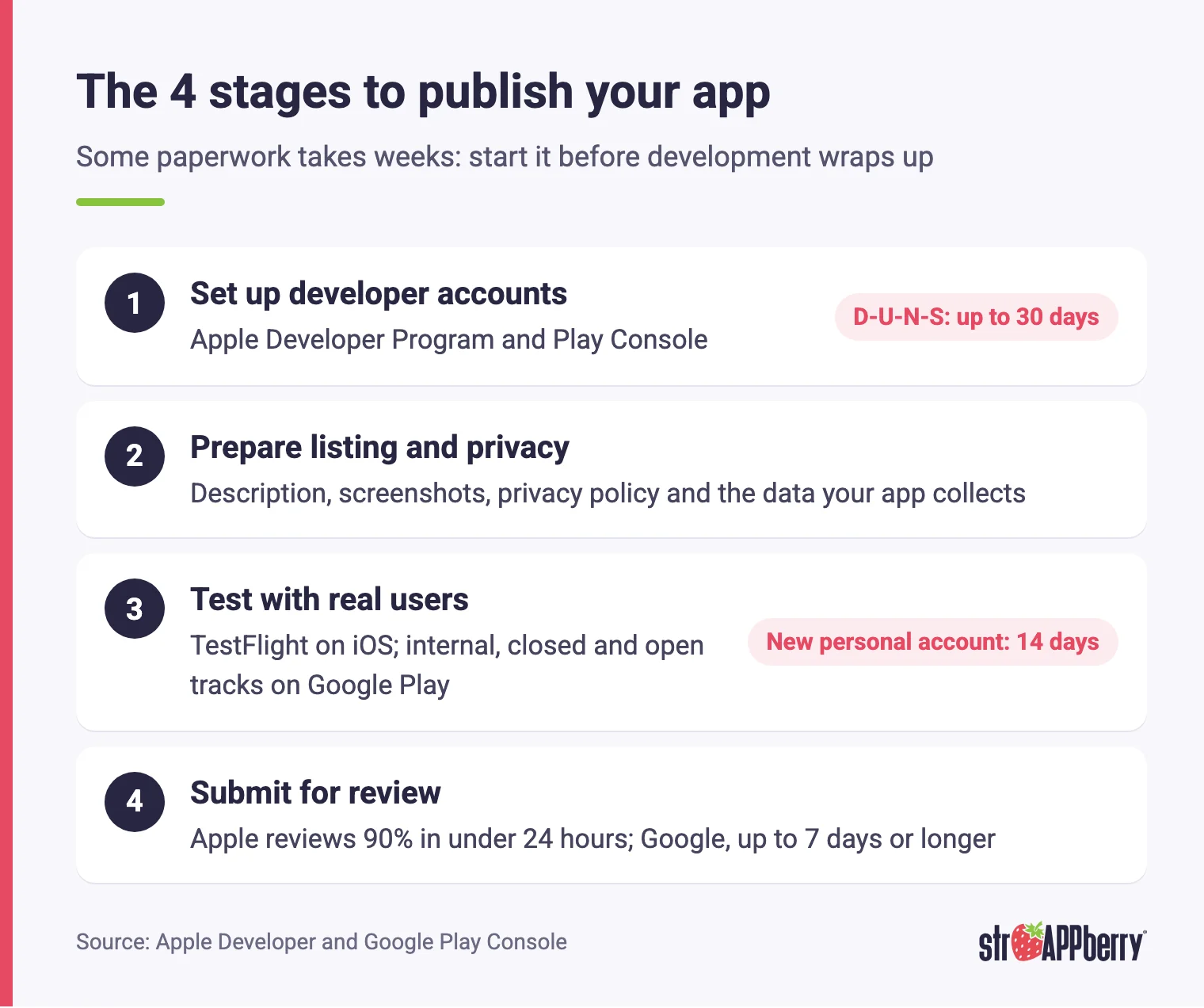
If you're working out how to publish an app on the App Store and Google Play, plan for four stages: set up developer accounts, prepare the store listing and privacy details, test with real users, and submit for review. Each store has its own rules, and some of the paperwork takes weeks, so start it before development wraps up.
What accounts do you need to publish an app?
You need a developer account for each store. For Apple, that's a membership in the Apple Developer Program, which costs $99 USD per membership year; Apple notes that pricing may vary by region and is shown in local currency when you enroll. For Google, it's a Play Console account with a one-time $25 USD registration fee. Both stores offer personal and organization accounts. If the app belongs to your business, open an organization account so the app doesn't depend on a single person. Apple requires an organization to be a legal entity, to have a public website on its own domain, and to provide a D-U-N-S Number. Google also requires a D-U-N-S Number for organization accounts and warns that getting one from Dun & Bradstreet can take up to 30 days. That makes it the first piece of paperwork to start, ideally while the app is still being designed.
How do Apple's and Google's requirements compare?
This table sums up what each store asks for, based on the official documentation listed at the end of the article:
| Requirement | App Store (Apple) | Google Play |
|---|---|---|
| Developer account | Apple Developer Program: $99 USD per membership year; pricing may vary by region | Play Console: one-time $25 USD registration fee |
| Business account | Legal entity, public website and D-U-N-S Number | D-U-N-S Number and organization details |
| Testing | TestFlight: up to 100 internal testers and up to 10,000 external testers | Internal track (up to 100 testers), closed and open tracks; new personal accounts need a closed test with 12 testers for 14 days |
| App format | A build uploaded to App Store Connect | Android App Bundle, required for new apps since August 2021 |
| Privacy | App privacy details in App Store Connect and a privacy policy link | Data safety form and a privacy policy link |
| Account deletion | If the app supports account creation, it must offer deletion inside the app | Inside the app and through a web link |
| Review time | On average, 90% of submissions are reviewed in under 24 hours | For certain accounts, up to seven days or longer in exceptional cases |
How do you publish an app on the App Store?
Here are the steps, in order, to get onto the App Store:
- Enroll your business in the Apple Developer Program. Whoever completes enrollment gets the Account Holder role, the only user who can sign legal agreements with Apple and renew the membership. It should be someone at your company, not your vendor.
- Create the app in App Store Connect. Add the name, description, screenshots and a link to your privacy policy, which also has to be easy to find inside the app.
- Fill in the app privacy details. Declare the data your app collects, including data collected by third-party SDKs such as analytics or advertising tools.
- Test with TestFlight. Invite your team and outside users before launch.
- Submit the build for review. If the app has a login, include a working demo account and keep your backend running so Apple can review it.
- Release. Once Apple approves the build, the app is ready to go live on the store.
How do you publish an app on Google Play?
On Google Play, nearly everything is set up inside Play Console:
- Create your company's Play Console account. For an organization, Google asks for a D-U-N-S Number plus the company's name, address, phone number and website.
- Build the store listing. This is the information people see before they install your app.
- Complete the Data safety form. Every published app must fill it in, including apps on closed or open testing tracks and apps that collect no user data at all, and it requires a link to your privacy policy.
- Declare how accounts get deleted. If users can create an account, the app must let them delete it from inside the app and through a web link.
- Upload an Android App Bundle. It's the required format for new apps since August 2021, and the app must target the API level Google currently requires.
- Test on Play Console tracks, then release to production. The release goes through Google's review before it's published.
What testing does each store require before launch?
On Apple's side, pre-launch testing runs through TestFlight. You can add up to 100 App Store Connect users as internal testers and invite up to 10,000 external testers, and each build stays available for testing for 90 days. The first build you share with external testers goes through App Review; later builds may not need a full review. Google Play offers three testing tracks: internal testing for up to 100 testers, closed testing for a wider group you choose, and open testing that's visible on the store. One rule is worth knowing from day one: personal accounts created after November 13, 2023 need at least 12 testers opted in to a closed test for 14 days in a row before they can apply for production access. That application is reviewed too, usually in seven days or less. If you're publishing from a new personal account, add those weeks to your timeline.
How long does App Store and Google Play review take?
According to Apple, on average 90% of submissions are reviewed in under 24 hours, and you can track your app's status in App Store Connect. If you're dealing with something urgent, such as a critical bug in the live version or an app tied to a dated event, you can request an expedited review. Google says that for certain developer accounts it takes more time to review apps thoroughly, which can mean up to seven days or longer in exceptional cases. New personal accounts also have the 14-day closed test and the review of their production access application on top of that. Given these timelines, don't announce a launch date that assumes the app goes live the same day development ends; to estimate that day, see how long it takes to build an app stage by stage. Leave room for fixes: if a reviewer finds a problem, you'll need to update the app and resubmit it, and that second submission needs its own review time before it can go live.
Why do apps get rejected in review?
Check these points from the App Store Review Guidelines and Google Play before you submit:
- Incomplete app. Guideline 2.1 asks for final versions with no placeholder text or temporary content, plus a demo account if the app has a login.
- Screenshots that don't show the app. Guideline 2.3.3 asks for screenshots of the app in use, not just title art, a login page or a splash screen.
- A repackaged website. Guideline 4.2 says an app should include features, content and UI that go beyond a repackaged website; if you are still weighing both, compare a mobile app vs. a web app for your business.
- No privacy policy. Guideline 5.1.1 requires a link in App Store Connect and inside the app; Google requires one to complete the Data safety form.
- No way to delete an account. Apple and Google both require apps that support account creation to also support account deletion.
- Incomplete privacy details. Apple asks you to declare all data collected by your app and by the third-party SDKs it includes.
What do you need to maintain after publishing?
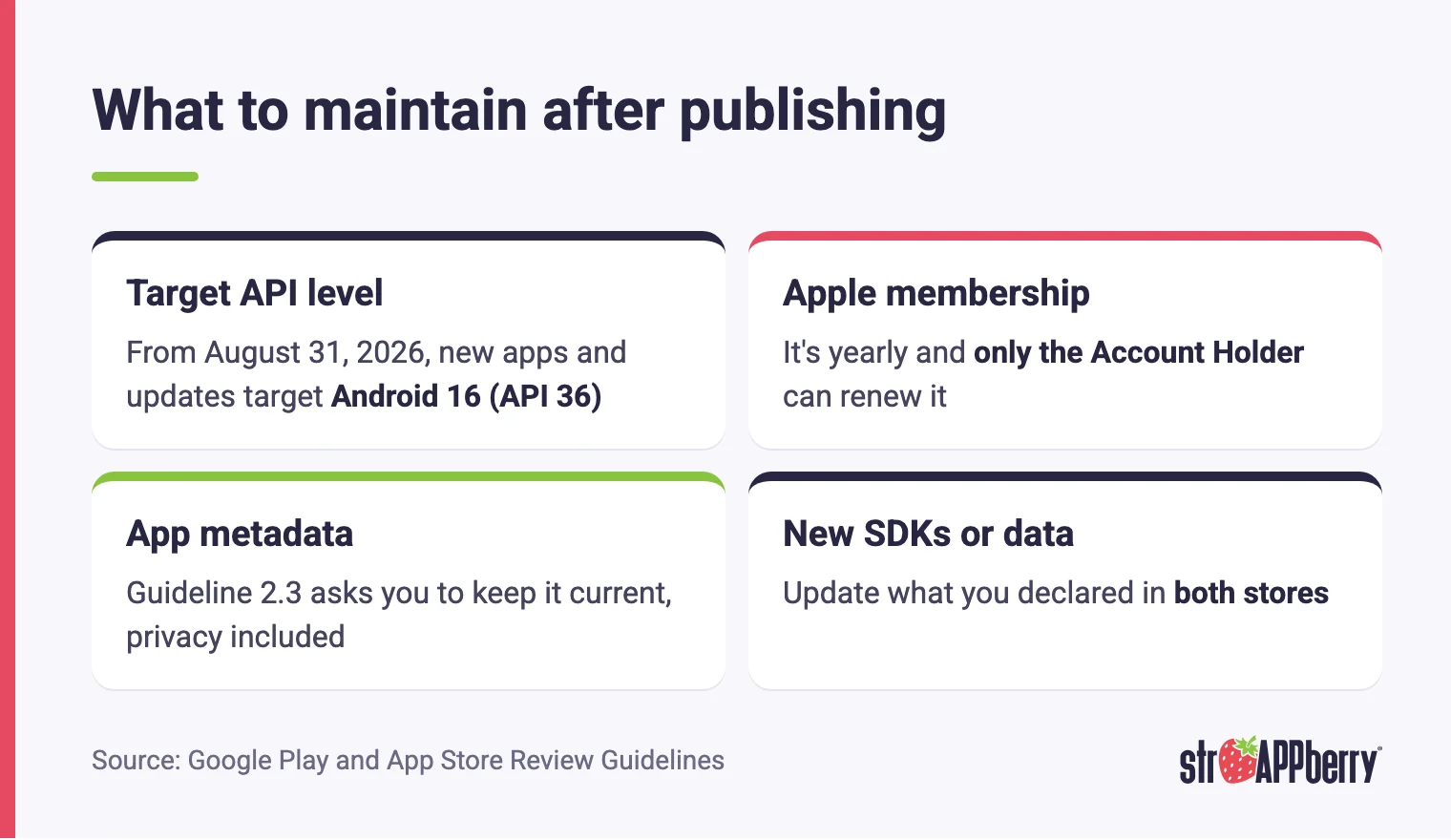
Launch isn't the finish line. Google requires new apps and updates to target a recent API level: starting August 31, 2026, that's Android 16 (API level 36), and you can request an extension until November 1, 2026. Apps already on the store must target at least Android 15 (API level 35) to stay available to new users on devices running newer versions of Android. Google publishes these deadlines in its documentation, so check that page before you plan each update. On Apple's side, the Developer Program membership is yearly and only the Account Holder can renew it, so someone at your company should have the renewal date on the calendar. Apple's guideline 2.3 also asks you to keep app metadata, including privacy information, up to date with each new version. If you add an SDK or start collecting a new type of data, update what you declared in both stores at the same time.
How can we help you publish your app?
If you'd rather not handle this process on your own, Strappberry takes your project from idea to store listing. On iOS, we test with real users through TestFlight, publish from App Store Connect and support you through Apple's review. On Android, we set up Google Play Console, the testing tracks and the release. We work with native code or cross-platform technologies, depending on what fits your project, and everything we deliver comes with a 1-year warranty backed by a contract. If you already have an app that was left without a developer and you have the source code, we can take it over and get it ready for the stores. See how we approach iOS app development for businesses and Android app development for businesses, or tell us about your project and book a free 30-minute session to review what your app needs before it reaches the stores.
Sources
- Apple Developer Program: enrollment
- App Store Connect: role permissions
- TestFlight overview
- Apple: App Review
- App Store Review Guidelines
- Apple: app privacy details
- Google Play Console: developer account registration
- Google Play Console: organization account verification
- Google Play Console: testing requirements for new personal accounts
- Google Play Console: testing tracks
- Google Play Console: publishing status
- Android App Bundle
- Google Play target API level requirement
- Google Play Data safety section
- Google Play account deletion requirement
