

Native vs cross-platform app: which is right for your business?
A native app gets the most out of each platform; a cross-platform app shares code between iOS and Android. Here is how to choose for your case.

In the native vs cross-platform app decision, go native when the phone experience is at the core of your business or you need advanced device features. Go cross-platform when you need both iOS and Android with one team and a shared codebase, and your app is built around forms, catalogs, bookings or lookups in your own system.
What is a native app?
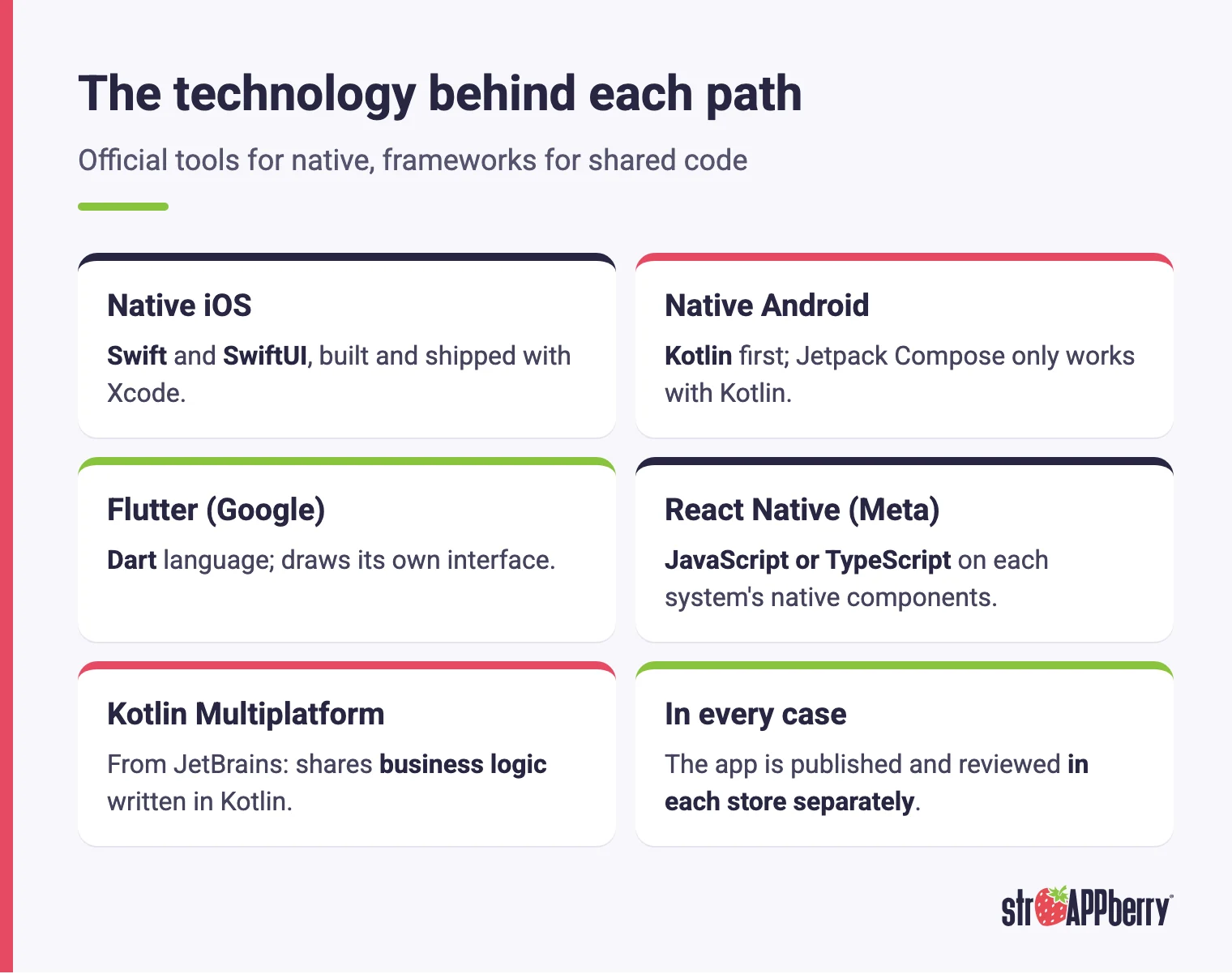
A native app is built with each platform's official tools. For iPhone and iPad, that means the Swift language, the SwiftUI framework for the interface and Xcode to compile and ship. For Android, Google recommends starting with Kotlin, and its Jetpack Compose UI toolkit only works with that language. Because each app talks directly to its operating system, it gets full access to the camera, notifications, mobile payments, background work and Bluetooth, and it can adopt new features as soon as Apple or Google release them. The trade-off is that if you need both platforms, you're building two apps: two codebases that are developed, tested and maintained separately, sometimes by specialists in each. On a tight budget, that usually means more app development cost and more time.
What is a cross-platform app?
A cross-platform app shares most of its code between iOS and Android. The best-known options are Flutter, created by Google, which uses the Dart language and draws its own interface; React Native, created by Meta, which uses JavaScript or TypeScript and relies on each system's native components; and Kotlin Multiplatform, from JetBrains, which lets you share business logic written in Kotlin and decide how much of the interface to share. The main advantage is that a single team moves both platforms forward at once, which cuts duplicated work. It still isn't "write once and forget it": some phone features require native code, and the app is still published separately on the App Store and Google Play, where it goes through each store's review like any other app.
How do they compare?
| Criteria | Native app | Cross-platform app |
|---|---|---|
| Languages | Swift for iOS and Kotlin for Android | Dart (Flutter), JavaScript or TypeScript (React Native), Kotlin (Kotlin Multiplatform) |
| Code | One codebase per platform | One shared codebase, with native parts when needed |
| New OS features | Available as soon as Apple or Google ship them | May mean waiting for the framework or writing native code |
| User experience | Follows each platform's design guidelines directly | Can get very close, with more care in design |
| Team | Specialists per platform | One team covers both platforms |
| Publishing | Each app goes through its store's review | Same: published and reviewed in each store separately |
When does a native app make sense?
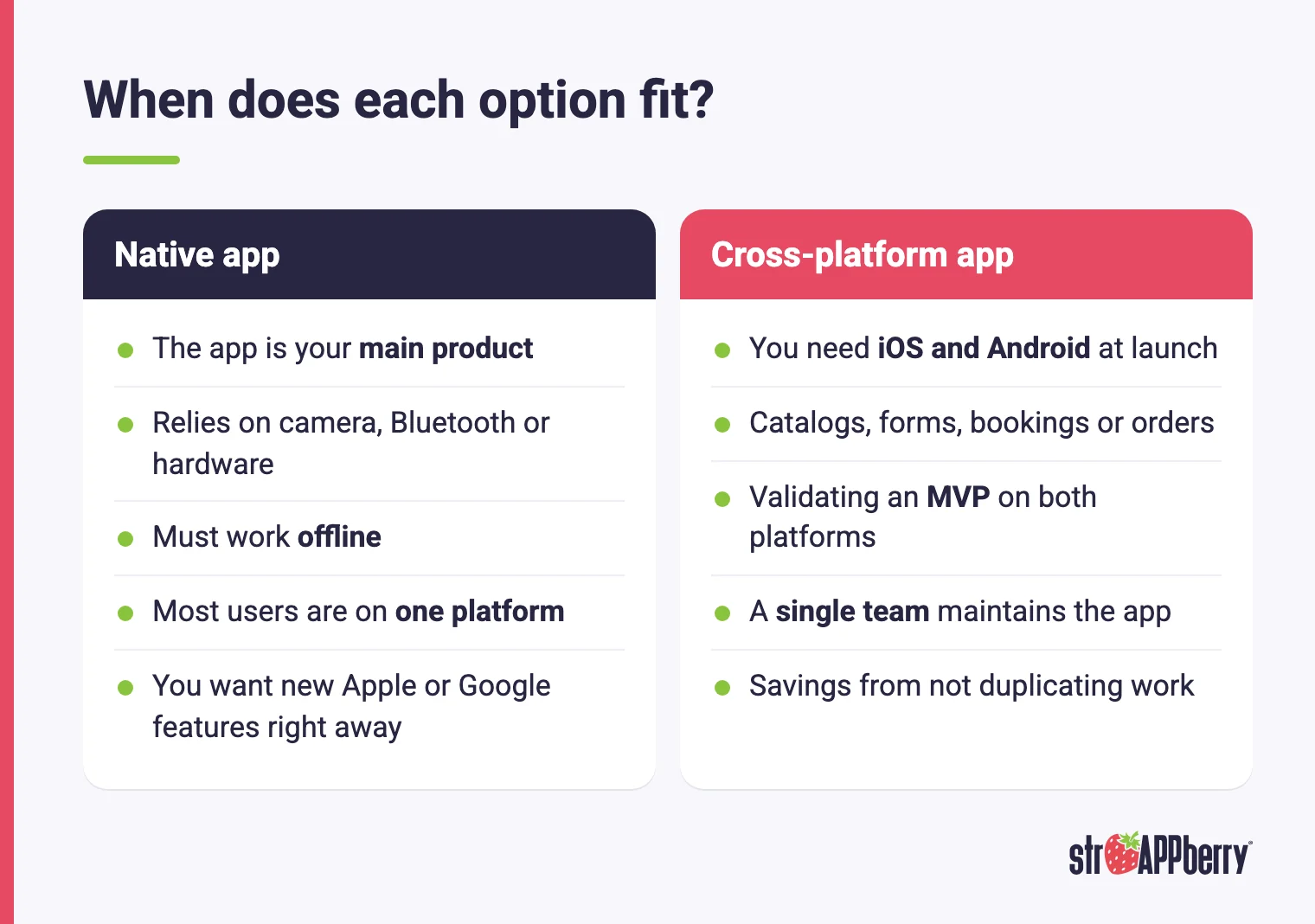
Native makes the most sense when the app is the product, not just another channel. Think of apps that depend on the camera or on-device processing, apps that must work offline and sync later, or apps that integrate deeply with hardware such as barcode scanners, payment terminals or Bluetooth devices. It also pays off when most of your users are on one platform: if your field team carries Android phones, building a native Android app first can be more efficient than covering two systems from day one. Finally, if your value proposition depends on offering Apple's or Google's newest features the moment they ship, like widgets or deep system integrations, going native avoids waiting for a framework to catch up. In these scenarios, the extra cost of two codebases is usually offset by a better experience and fewer technical workarounds.
When does a cross-platform app make sense?
Cross-platform is usually the most practical choice when you need to be in both stores at launch and the app revolves around business screens: catalogs, forms, bookings, orders, balance lookups or dashboards fed by your system. In apps like these, the experience gap with native is small and the savings from not duplicating work are large. It also helps when you want to validate an idea with an MVP on both platforms before investing more, or when you'd rather have a single team maintain the app long term. Review early which phone features you'll rely on: if that list grows over time, plan for certain parts to be written in native code without rewriting the whole app. Choosing cross-platform isn't choosing lower quality; it's choosing where to spend your budget.
What if what you need is a web system?
Sometimes the answer isn't an app. If your users work from a computer, or what you need is an internal dashboard or a customer portal that people only check once in a while, a web system for your business can do the job without going through the app stores and without anyone installing anything. Also, publishing a website wrapped as an app on the App Store isn't a good idea: Apple's guidelines say an app should offer features and an experience that go beyond a repackaged website, and it can be rejected if it doesn't. Many companies combine both: a web system for their internal operations and an app for customers or field staff, with both connected to the same database. If that sounds like your situation, take a look at our custom software development services.
Does the technology change what Apple and Google require?
No. The stores review the result, not the framework. Native and cross-platform apps follow the same rules: if they let people create an account, they must let them delete it; they must disclose what data they collect; and on Google Play they must target a recent Android version, a requirement that goes up every year. What does change is how you keep up. In a native app, OS changes land directly in Apple's and Google's own tools. In a cross-platform app, besides updating the app, you have to keep the framework and its libraries current and confirm they already support the new version. So when you compare options, don't just ask how much it costs to build the app. Ask how it will be maintained over the following years, and who will do that work.
How do you decide for your project?
Answer these questions before your first meeting with a development partner:
- Which platform are most of your users on today?
- Does the app depend on the camera, Bluetooth, offline work or another phone feature?
- Do you need to launch on iOS and Android at the same time?
- Is the app your main product or a channel for your operations?
- Who will maintain it after launch?
At Strappberry we work with native code or cross-platform technologies depending on what each project needs. To review your case, see how we handle iOS app development for businesses and Android app development for businesses, or tell us about your project.


