

What is an MVP app? What to include in the first version
An MVP is the first version of your app with only what it takes to solve one problem and learn from real users. Here's how to scope it.

What is an MVP app? It's the first version of your app with only what's essential to solve your users' main problem and learn from how they use it. Getting that scope right helps you avoid two costly mistakes: launching something so bare that nobody uses it, or spending months on features nobody asked for.
Where does the MVP concept come from?
The term is closely tied to the Lean Startup method. Eric Ries defines the minimum viable product as the version of a new product that lets a team collect the maximum amount of validated learning about customers with the least effort. The key word is learning. An MVP isn't a cheap app or a half-finished one; it's an experiment to check whether your idea solves a real problem before you invest in everything else. That experiment is part of what Lean Startup calls the build-measure-learn loop: you ship something, watch how people respond, and decide whether to keep going in the same direction or change course. Ries himself points out that deciding what goes into an MVP takes judgment and doesn't follow a formula. That's why two companies with similar ideas can end up with very different first versions, depending on what each one needs to prove with its users.
How is an MVP different from a prototype and a full product?
People mix these three up all the time, but each one answers a different question:
| Criteria | Prototype | MVP | Full product |
|---|---|---|---|
| What it's for | Testing a design or flow before writing code | Proving with real users that the app solves the problem | Serving all your users with the planned features |
| Who uses it | Your team and a few people in test sessions | A real group of customers or users | Your whole market |
| Works with real data | Usually not | Yes | Yes |
| What you get | Feedback on the experience | Usage data to decide what's next | Operations and growth |
| Risk of skipping it | Building screens that confuse people | Investing in features nobody uses | Not applicable: it's where the process leads |
What should an MVP app include?
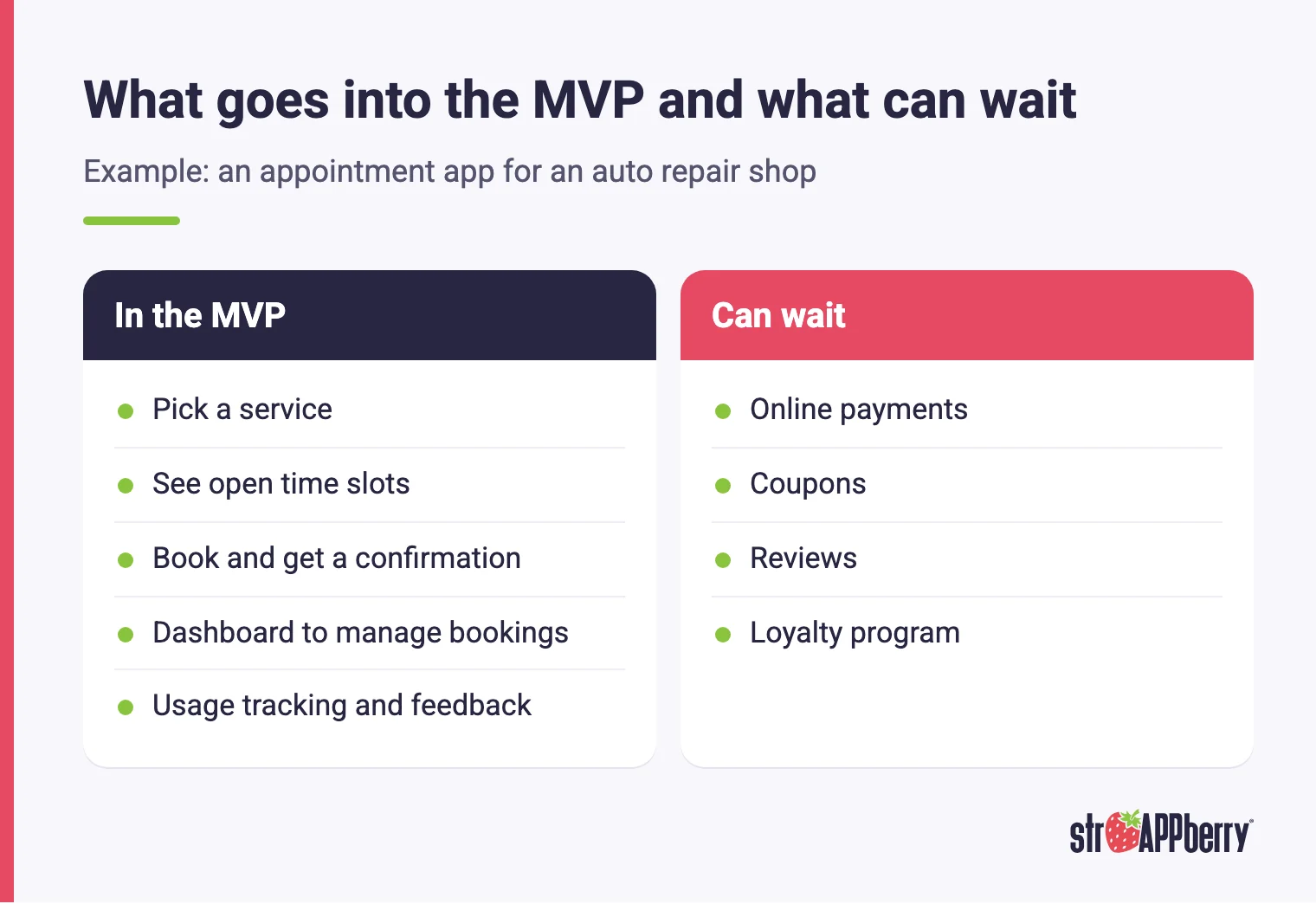
A good MVP includes the complete path that solves the main problem, start to finish, even if it only has a few screens. Picture an appointment app for an auto repair shop: the MVP needs customers to pick a service, see open time slots, book, and get a confirmation, and it needs the shop to see and manage those bookings. Online payments, coupons, reviews or a loyalty program can wait. If you cut one step from that path, the app can't teach you anything. Beyond the core flow, the MVP needs what it takes to run it: a simple admin dashboard to manage information, a way to measure how the app gets used, and a channel for user feedback. Design matters too. A confusing first version gives you misleading data, because you won't know whether people dropped off because of the idea or because of the interface. "Minimum" refers to the number of features, not the quality of the ones you include.
Which requirements can't you cut, even in an MVP?
Some requirements don't depend on how small the app is. If you're publishing on the App Store, guideline 4.2 of the App Store Review Guidelines says an app should include features, content and UI that go beyond a repackaged website, so an MVP that's too thin may not make it in. Guideline 5.1.1 requires a link to your privacy policy and, if the app supports account creation, a way to delete the account from inside the app. Google Play has matching rules: it requires the Data safety form even if the app collects no user data, and if there are accounts, the app must let users delete them inside the app and through a web link. If you publish from a personal Google Play account created after November 13, 2023, you also need a closed test with at least 12 testers for 14 days in a row. Add basic security, such as protected passwords and backups. Cutting corners here costs more later.
How do you scope your MVP?
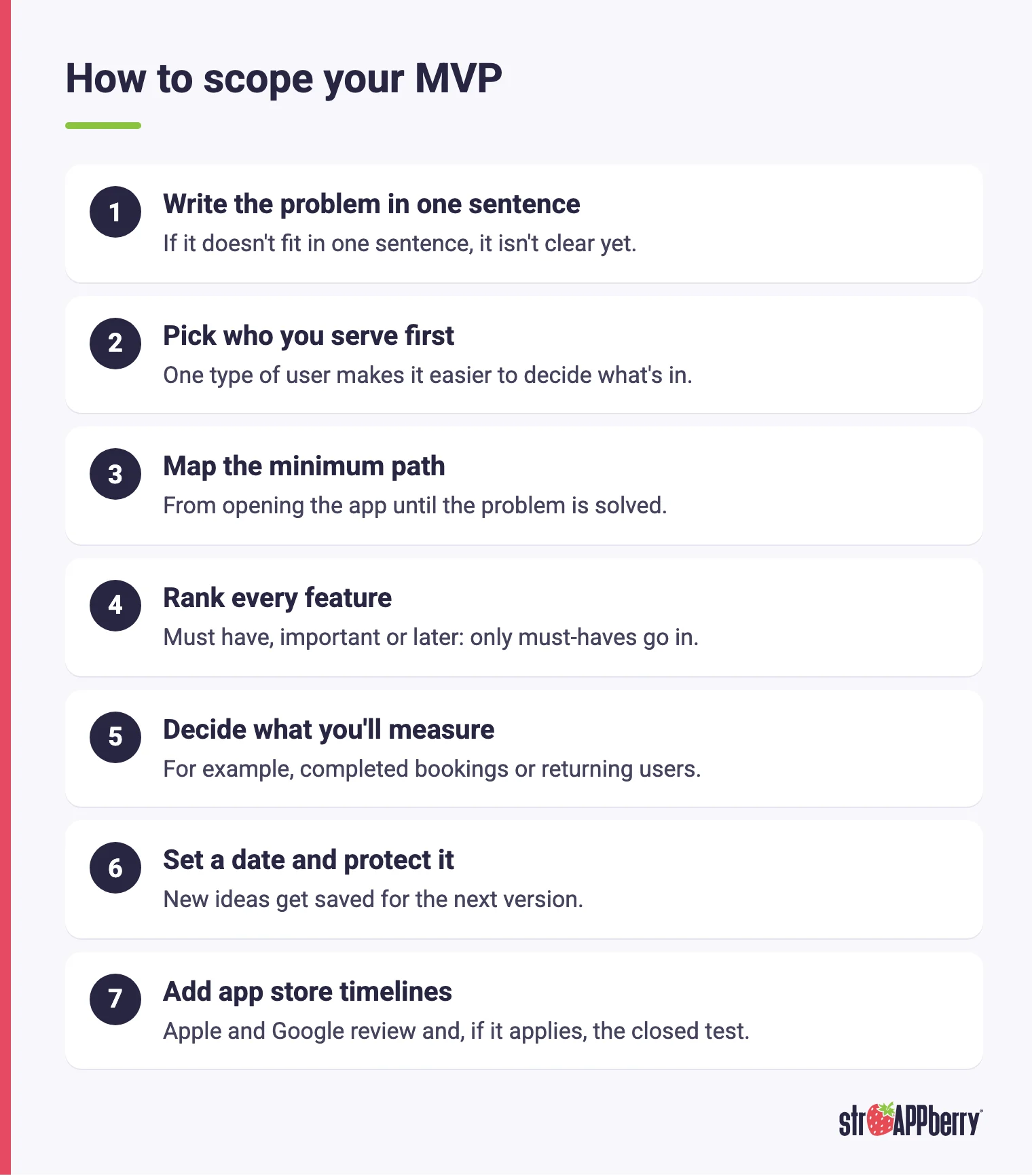
These steps lead to a clear scope:
- Write the problem in one sentence. For example: "customers can't book without calling us." If it doesn't fit in one sentence, it isn't clear yet.
- Pick who you serve first. Focusing on one type of user makes it easier to decide what's in and what's out.
- Map the minimum path. Write down every step from the moment users open the app until their problem is solved.
- Rank every feature. Tag each one as must have, important, or later. Only the must-haves go into the MVP.
- Decide what you'll measure. Before coding, choose the signals that will show whether it worked, such as completed bookings or returning users.
- Set a date and protect it. When a new idea comes up during development, save it for the next version instead of squeezing it into the MVP.
- Add app store timelines. Account for Apple and Google review when you publish your app and, if it applies, Google Play's closed test.
What mistakes should you avoid when building an MVP?
These mistakes make an MVP cost more than it should or leave you without useful lessons:
- Treating minimum as sloppy. An MVP has few features, but the ones it has need to work well.
- Adding features "just in case." Every extra feature adds to the app development timeline and makes it harder to tell what worked.
- Not defining what to measure. Without signals agreed on up front, launch ends in opinions instead of decisions.
- Building for everyone. Serving every kind of customer on day one multiplies screens, rules and testing.
- Forgetting operations. If nobody at your company can manage the information, the MVP can't be used in real life.
- Ignoring app store requirements. Privacy details, account deletion and required testing are part of the scope too.
- Treating the MVP as a finished product. It's the start of a loop: adjustments, improvements and maintenance come next.
How do you know whether your MVP worked?
It depends on what you set out to prove, which is why you pick your signals before launch. If your hypothesis is that customers would rather book from their phones, measure how many complete a booking, how long it takes them and how many come back. Downloads alone tell you very little: someone can install an app and never open it again. Pair usage data with conversations with users, because the numbers tell you what happened and interviews help you understand why. With that information, you have three paths. If the core flow works, you move on to the important features you set aside. If people use the app differently than you expected, you adjust the approach. And if nobody solves their problem with it, you change course before investing more. Lean Startup frames this as deciding whether to pivot or persevere, and that decision is far more reliable when it's based on data rather than gut feeling.
What happens after you launch the MVP?
Launching the MVP kicks off a cycle of ongoing improvement. Using what you learned, you prioritize the next version: first whatever blocks users, then the important features that didn't make the cut, and finally the nice-to-haves. Ship improvements in short cycles so you can keep measuring the effect of each change. Maintenance starts too, and it doesn't depend on how many features the app has. Google Play requires updates to target a recent API level: starting August 31, 2026, that's Android 16 (API level 36). On Apple's side, the Apple Developer Program membership is yearly. And every time you add features that collect new kinds of data, you'll need to update the privacy information in both stores. Building this stage into the cost of developing your app from the start keeps your MVP from stalling right when it begins to show results and your users are waiting for the next version.
How do we build MVPs at Strappberry?
At Strappberry, we build the MVP in 2 months. We start with a discovery call to understand what you want to solve and how your business runs today, then send a proposal with the scope and cost, which can be paid as a monthly retainer or financed. The MVP includes UX/UI design with your brand's look and feel and the features that solve the core problem. During development, you have weekly check-ins with the team and weekly progress updates, so you see real progress and can give feedback before everything is finished. We work with native code or cross-platform technologies, depending on what your project needs, and everything we deliver comes with a 1-year warranty backed by a contract. Explore our custom software development services or tell us about your project and book a free 30-minute session to work out what your first version should include.
Sources
- Lean Startup Co.: What Is an MVP? Eric Ries Explains
- The Lean Startup: principles
- App Store Review Guidelines
- Apple Developer Program: enrollment
- Google Play Data safety section
- Google Play account deletion requirement
- Google Play Console: testing requirements for new personal accounts
- Google Play target API level requirement
Related articles

Strategy and costs
Disaster Recovery Plan Template for Small Business
Most companies discover their disaster recovery plan is incomplete at 2 a.m., mid-outage, with customers calling. This guide walks through a disaster recovery plan template you can fill in section by section, from RTO and RPO targets to call trees and restore drills. It includes the formulas
· Equipo Strappberry

Strategy and costs
App development cost in Mexico: what drives the price of an app
An app's cost depends on scope, platforms, integrations and maintenance. Here is how each factor works so you can get quotes you can compare.
· Equipo Strappberry

Strategy and costs
Inventory Control: A Step-by-Step Setup Guide
Most small and mid-size distributors do not lose money because they lack an inventory system. They lose it because nobody owns the count, the reorder points are guesses, and the spreadsheet is three days behind reality. This guide walks through the classification, counting cadence, and formulas that
· Equipo Strappberry